How to Clean iPhone Storage Fast: 3-Minute Emergency Method
Need storage NOW? Learn how to clean iPhone storage fast in 3 minutes. Emergency cleanup method that frees 5-10GB instantly without deleting memories.
How to Clean iPhone Storage Fast: 3-Minute Emergency Method
"Cannot Take Photo - Storage Full"
Nightmare moment. Here's how to clean iPhone storage fast.
The 3-Minute Emergency Fix
When you need storage RIGHT NOW:
Minute 1: Delete Duplicates (Fastest Win)
Why duplicates first:
- Average iPhone: 300-500 duplicates
- Takes 2-4GB of space
- Zero value (exact copies)
- Safe to delete immediately
How:
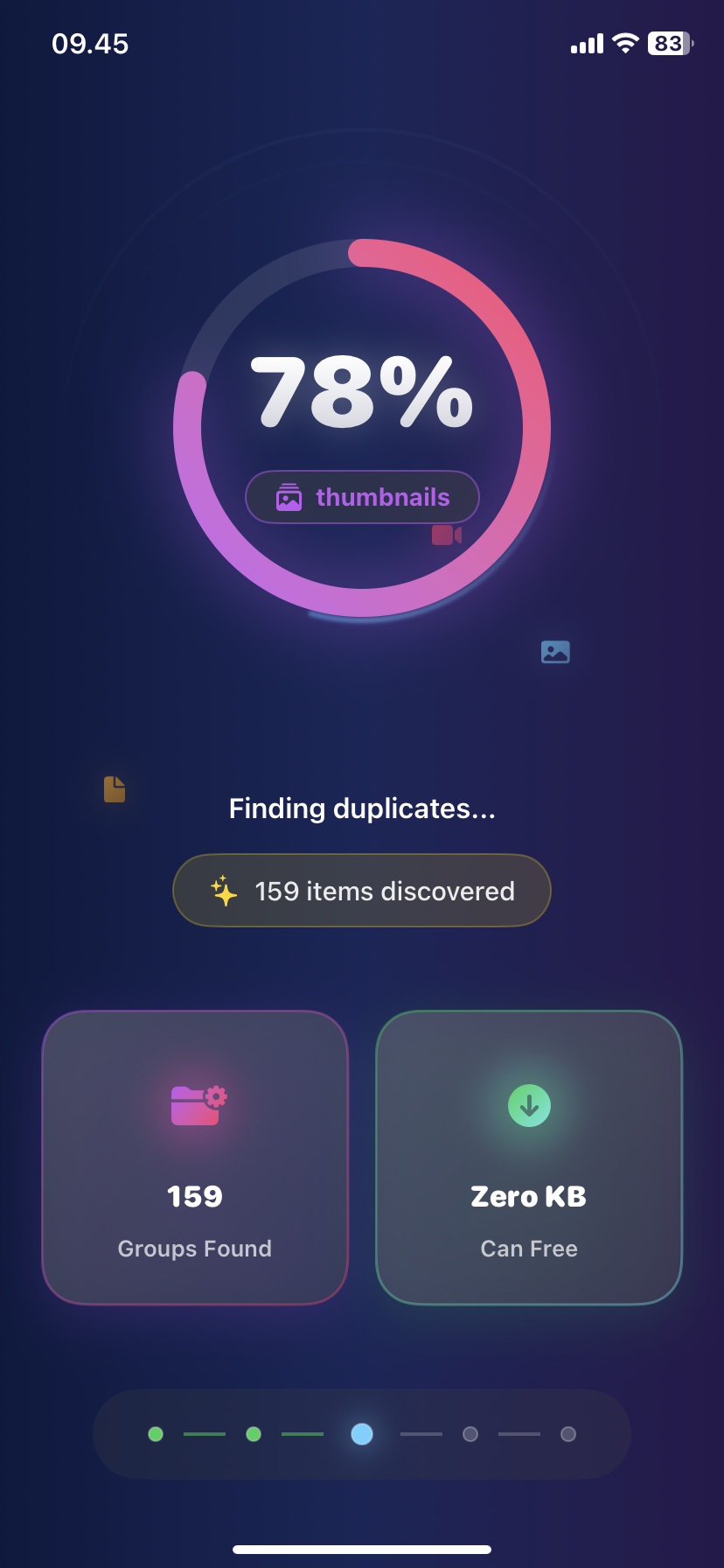
- Download Ezy Photo Clean
- Tap "Find Duplicates"
- Tap "Delete All"
Result: 2-4GB freed in 60 seconds
Minute 2: Clear Biggest Videos
One 4K video = 1,000 photos
Quick method:
- Settings → General → iPhone Storage
- Tap "Review Large Attachments"
- Delete top 3-5 videos
Or use Ezy Photo Clean:
- Tap "Large Files"
- See all videos sorted by size
- Delete in one tap
Result: 2-6GB freed
Minute 3: Screenshot Purge
Screenshots = storage vampires
Quick delete:
- Photos → Search "Screenshots"
- Select All
- Delete (review "Recently Deleted" later)
Or:
- Ezy Photo Clean → "Screenshots"
- Bulk delete old ones
Result: 500MB-1.5GB freed
Total Results: 3 Minutes
- Duplicates: 2-4GB
- Large videos: 2-6GB
- Screenshots: 0.5-1.5GB
Total freed: 5-11GB
Why This Method Works
Targets only waste:
- Duplicates = zero loss
- Old videos = probably forgot about them
- Screenshots = mostly temporary
Doesn't touch:
- Important photos
- Recent memories
- Organized albums
When You Have 5 More Minutes
For deeper cleanup:
Minute 4: Blurry Photos
- Find with Ezy Photo Clean
- AI detects out-of-focus shots
- Delete all (+1-2GB)
Minute 5: Similar Photos
- 15 shots of same sunset
- Keep best 2, delete 13
- (+1-3GB)
8-minute total: 7-16GB freed
Common "Clean iPhone Storage Fast" Mistakes
Mistake #1: Deleting apps first
- Most apps = 100-300MB
- Photos/videos = 10,000MB+
- Wrong priority
Mistake #2: Manual photo scrolling
- Takes hours
- Miss 80% of duplicates
- Get exhausted, quit
Mistake #3: Deleting iCloud purchases
- Can re-download anytime
- Minimal storage impact
Mistake #4: Factory reset
- Nuclear option
- Lose everything
- Need to restore from backup anyway
The "Just Need 1GB Right Now" Method
Ultra-fast (60 seconds):
- Settings → Safari → Clear History
- Photos → Recently Deleted → Delete All
- Messages → Delete old conversations with videos
Result: 500MB-1.5GB instantly
Prevention: Stay Clean
Weekly habit (2 minutes):
- Delete bad photos immediately after taking
- Clear screenshots weekly
- Empty "Recently Deleted"
Monthly scan (5 minutes):
- Run Ezy Photo Clean
- Delete duplicates
- Review large files
Result: Never emergency cleanup again
Clean iPhone Storage Fast: Best Tools
Built-in iOS: ✅ Settings → iPhone Storage (shows what's using space) ✅ Recently Deleted (recover mistakes)
Essential app: ✅ Ezy Photo Clean (finds duplicates, large files, screenshots in seconds)
Don't need: ❌ "Cleaner" apps that just clear cache (iOS does this automatically) ❌ Paid subscriptions for basic cleanup ❌ Apps that "optimize" memory (placebo)
Storage Tiers: What to Clean
Need 1GB:
- Clear Safari cache
- Delete screenshots
- Empty Recently Deleted
Need 5GB:
- Delete duplicates
- Remove large videos
- Clean screenshots
Need 10GB+:
- All above +
- Delete blurry photos
- Remove similar photo duplicates
- Offload unused apps
The Bottom Line
Clean iPhone storage fast = target duplicates first.
Priority order:
- Duplicates (2-4GB, 1 minute)
- Large videos (2-6GB, 1 minute)
- Screenshots (0.5-1.5GB, 1 minute)
3 minutes. 5-11GB. Done.
Stop deleting apps. Start deleting duplicates.
Download Ezy Photo Clean - Clean iPhone Storage Fast
*Last updated: January 18, 2025* *Reading time: 3 minutes*
Ready to Clean Your Photo Library?
Download Ezy Photo Clean and start freeing up storage space today!
Download Free from App StoreContinue Reading
How to Delete Screenshots on iPhone (Mass Delete Guide 2025)
Delete hundreds of screenshots on iPhone in seconds. Complete guide to mass delete screenshots and reclaim storage space quickly with Ezy Photo Clean.
Find Similar Photos on iPhone: AI Detection Guide 2025
Discover how AI finds similar photos on iPhone automatically. Keep the best shot, delete the rest, and free up massive storage space instantly.