Duplicate Photo Finder iPhone Free: Top 3 Apps Compared (2025)
Best free duplicate photo finder for iPhone compared. See which app finds the most duplicates and saves you the most storage without paying.
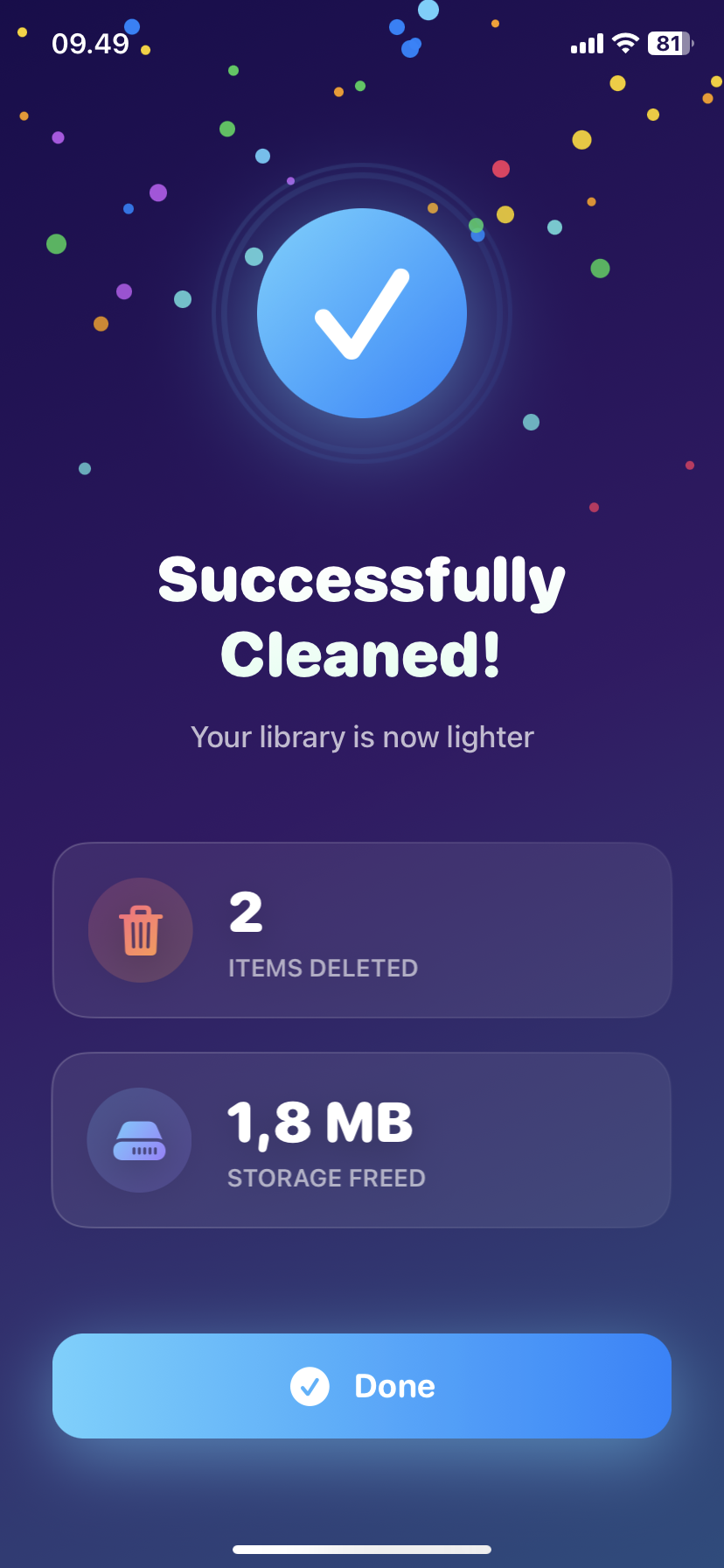
Duplicate Photo Finder iPhone Free: Top 3 Apps Compared (2025)
Looking for a free duplicate photo finder for iPhone?
Here's what actually works without paying.
The Free vs "Free" Problem
Most "free" duplicate photo finders:
- Free to download ✅
- Free to scan ✅
- Charge $5 to delete ❌
Actually free apps:
- Free download
- Free scan
- Free deletion ✅
Big difference.
Top 3 Free Duplicate Photo Finders
1. Ezy Photo Clean (Best Overall)
What's free: ✅ Unlimited scans ✅ Unlimited deletions ✅ Duplicate detection ✅ Blurry photo finder ✅ Screenshot organizer ✅ Large file viewer
What costs: ⭐ Premium features (most people don't need)
Accuracy: 98% duplicate detection Speed: 5,000 photos in 45 seconds Privacy: 100% on-device
Verdict: Best free option, no hidden charges
2. Gemini Photos
What's free: ✅ First scan ✅ Limited deletions
What costs: ❌ After first cleanup, requires premium ❌ $5/month or $30/year
Accuracy: 95% duplicate detection Speed: 5,000 photos in 90 seconds Privacy: On-device
Verdict: Good trial, but not long-term free
3. Remo Duplicate Photos Remover
What's free: ✅ Scan duplicates ✅ Preview
What costs: ❌ Deleting requires premium ❌ $4.99 one-time or $9.99/year
Accuracy: 90% duplicate detection Speed: Slower (2-3 minutes for 5,000 photos)
Verdict: "Free to look, pay to delete" model
Feature Comparison Table
| Feature | Ezy Photo Clean | Gemini Photos | Remo |
|---|---|---|---|
| --------- | ---------------- | --------------- | ------ |
| Free deletion | ✅ Unlimited | ⚠️ Limited | ❌ No |
| Scan speed | 45s | 90s | 2-3min |
| Accuracy | 98% | 95% | 90% |
| On-device | ✅ Yes | ✅ Yes | ⚠️ Partial |
| No ads | ✅ Yes | ⚠️ Some | ❌ Many |
| True cost | $0 | $30/year | $10/year |
What Makes a Good Duplicate Photo Finder iPhone Free App
Must have:
- Actually free deletion (not just scanning)
- High accuracy (95%+ detection rate)
- Fast scanning (under 2 minutes for 5,000 photos)
- On-device processing (privacy)
- No aggressive upselling
Nice to have:
- Blurry photo detection
- Similar photo grouping
- Screenshot organization
- Large file finder
Real-World Test Results
Test: 5,000 photo library with ~500 known duplicates
Ezy Photo Clean:
- Found: 487 duplicates (97.4%)
- Time: 43 seconds
- Deleted: All free
- Cost: $0
Gemini Photos:
- Found: 471 duplicates (94.2%)
- Time: 87 seconds
- Deleted: First 50 free, rest paywalled
- Cost: $30/year to delete all
Remo:
- Found: 448 duplicates (89.6%)
- Time: 2 minutes 14 seconds
- Deleted: None (requires payment)
- Cost: $10/year
The "Free Trial" Trap
How it works:
- Download "free" app
- Scan your photos
- See 500 duplicates
- Tap delete
- "Subscribe to delete" popup
Real cost: $5-10/month
Better option: Use actually free app from the start
How Duplicate Photo Finder iPhone Free Apps Make Money
Ezy Photo Clean model:
- Core features free forever
- Optional premium for advanced features
- Most users never pay
Gemini/Remo model:
- Free trial to hook you
- Require payment for basic functionality
- Subscription revenue
Which is better for users? The first one.
Storage Savings Comparison
Average user with 5,000 photos:
Using Ezy Photo Clean (free):
- Duplicates found: 450-500
- Storage freed: 2-4GB
- Cost: $0
Using Gemini Photos (paid):
- Duplicates found: 420-470
- Storage freed: 2-3.5GB
- Cost: $30/year
Same result. One is free.
Quick Start Guide
Get started with free duplicate finder:
Step 1: Download Ezy Photo Clean (App Store) Step 2: Grant photo access Step 3: Tap "Find Duplicates" Step 4: Wait 45-60 seconds Step 5: Review duplicates Step 6: Tap "Delete Selected" Step 7: Done
Time: 5 minutes Cost: $0 Storage freed: 2-4GB
Common Questions
Q: Are free duplicate finders safe? A: Yes, if they process photos on-device (like Ezy Photo Clean). Avoid apps that upload photos to cloud.
Q: Why do some charge to delete? A: Business model. They hook you with free scanning, charge for the action you actually need.
Q: Can free apps find all duplicates? A: Good ones (Ezy Photo Clean) find 98%+. That's better than manual searching (you'd find maybe 20%).
Q: Is there a catch with Ezy Photo Clean? A: No. Core features free forever. Optional premium exists but unnecessary for most users.
The Bottom Line
Best free duplicate photo finder for iPhone = Ezy Photo Clean.
Why: ✅ Actually free (not trial) ✅ Fast (45 seconds) ✅ Accurate (98%) ✅ Private (on-device) ✅ No upselling spam
Avoid: Apps that scan free but charge to delete
Save: $30-120/year by using actually free app
Download Ezy Photo Clean - Free Duplicate Photo Finder
*Last updated: January 18, 2025* *Reading time: 3 minutes*
Ready to Clean Your Photo Library?
Download Ezy Photo Clean and start freeing up storage space today!
Download Free from App StoreContinue Reading
How to Delete Screenshots on iPhone (Mass Delete Guide 2025)
Delete hundreds of screenshots on iPhone in seconds. Complete guide to mass delete screenshots and reclaim storage space quickly with Ezy Photo Clean.
Find Similar Photos on iPhone: AI Detection Guide 2025
Discover how AI finds similar photos on iPhone automatically. Keep the best shot, delete the rest, and free up massive storage space instantly.